
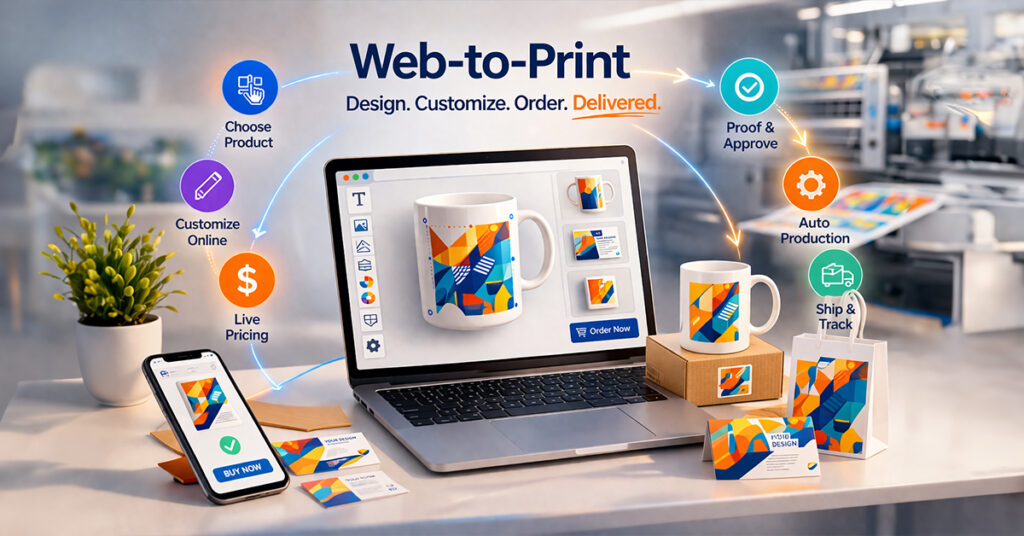
Web-to-print (also called W2P or Web2Print) is print eCommerce software that lets businesses and customers design, customize, and order printed products through an online store.
This technology has changed how print businesses sell, price, and manage their orders. Today, customers expect fast responses and clear pricing. For modern print companies, moving online is no longer optional.
Manual processes often cause delays, mistakes, and extra work, making it harder for businesses to grow. As order numbers increase and customization becomes more complex, traditional workflows start to struggle.
Web to print software solves these problems by bringing ordering, design, pricing, and production into one connected system.
In 2026, web to print has become the main system that growing print businesses rely on. To understand why it is so important, it helps to first learn what web-to-print is and how it works in real situations.
What is Web To Print?
Web to print is a modern technology that allows customers to design, customize, and order printed products directly from a website.
In simple terms, the web to print definition is this: a digital system that connects online design tools, ordering workflows, and printing services so users can personalize products like photobooks, mugs, business cards, packaging, and more without needing offline support.
If a customer has ever customized a product online and placed an order instantly, they have already experienced how web to print software works in real time.
A Simple Web To Print Definition for Businesses
The web to print definition refers to a digital solution that enables users to create, edit, preview, and order print-ready designs through an online interface without needing professional design software.
A strong web to print solution usually combines design, pricing, proofs, approvals, and production into one connected workflow.
This system is widely used by:
- E-commerce brands
- Print businesses
- Photobook companies
- Marketing teams
- Schools and corporates
How Does a Web To Print System Work?
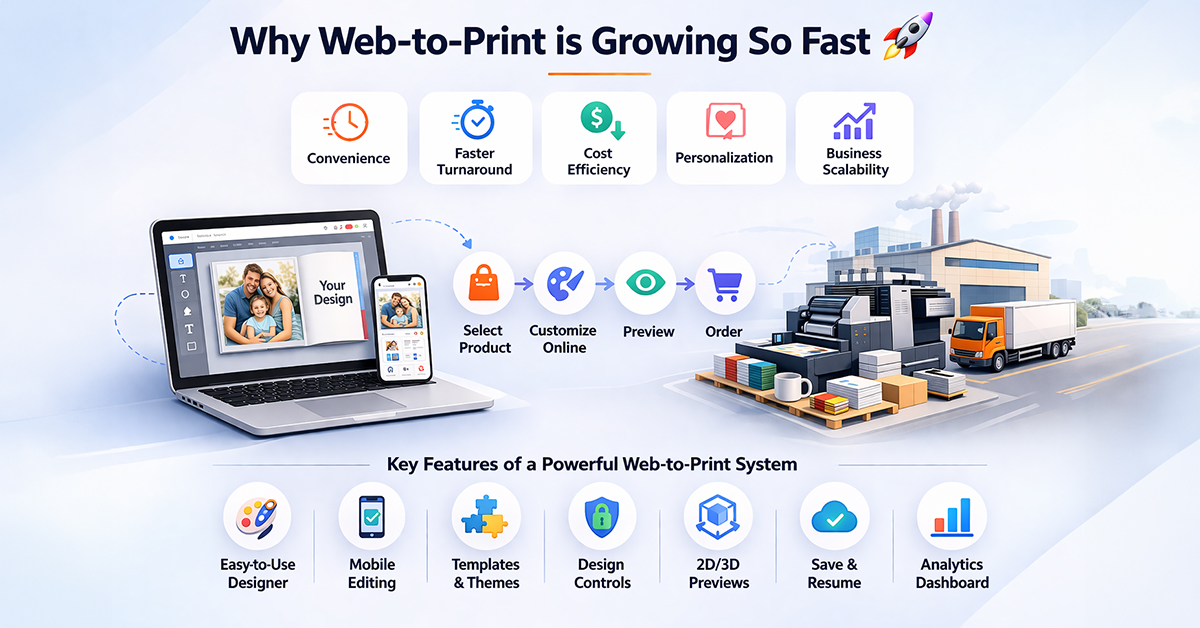
Web to print works by combining product customization, online ordering, and print production into one automated workflow. Customers can select a product, personalize it, see live pricing, review a proof, and place an order online. On the backend, the system validates files, creates job tickets, generates print-ready files, and manages production, shipping, and tracking. This makes the entire process faster, more accurate, and easier to scale.
To make this easier to understand, it helps to look at the process from two sides: the customer journey and the business fulfillment workflow.
A. Customer Experience Flow
1. Product Selection
Customers begin by choosing a product from the web to print storefront. This may be a business card, banner, label, sign, packaging item, apparel product, or another printable item.
2. Customization and Personalization
Customers then personalize the product using a web to print online custom product designer software. They can add text, upload images, select sizes, change colors, or apply variable data while viewing updates instantly.
3. Real-Time Pricing
Pricing updates automatically based on the selected quantity, size, material, and finishing options. This means customers can see the cost immediately without waiting for a manual quote.
4. Proof and Approval
Before placing the order, customers review a digital proof of the final design. This helps catch errors early and reduces the chances of reprints.
5. Checkout
Once the design is approved, customers complete payment and submit the order directly through the website.
B. Backend Automation Flow
1. Preflight and Validation
After the order is placed, the system automatically checks the file for issues such as incorrect size, low resolution, missing bleed, or color problems. This helps prevent production errors before printing starts.
2. Job Ticket Creation
The system converts all order details into a structured job ticket. This gives the production team clear instructions without the need for manual data entry.
3. Print-Ready File Generation
Customer designs are automatically converted into print-ready files that match production and press requirements. This removes manual file preparation and reduces the risk of errors.
4. Production, Shipping, and Tracking
Once ready, the order moves into production and fulfillment. The system can also provide real-time status updates, shipping coordination, and tracking visibility for both the business and the customer.
Why Web To Print Is at the Core of Print eCommerce
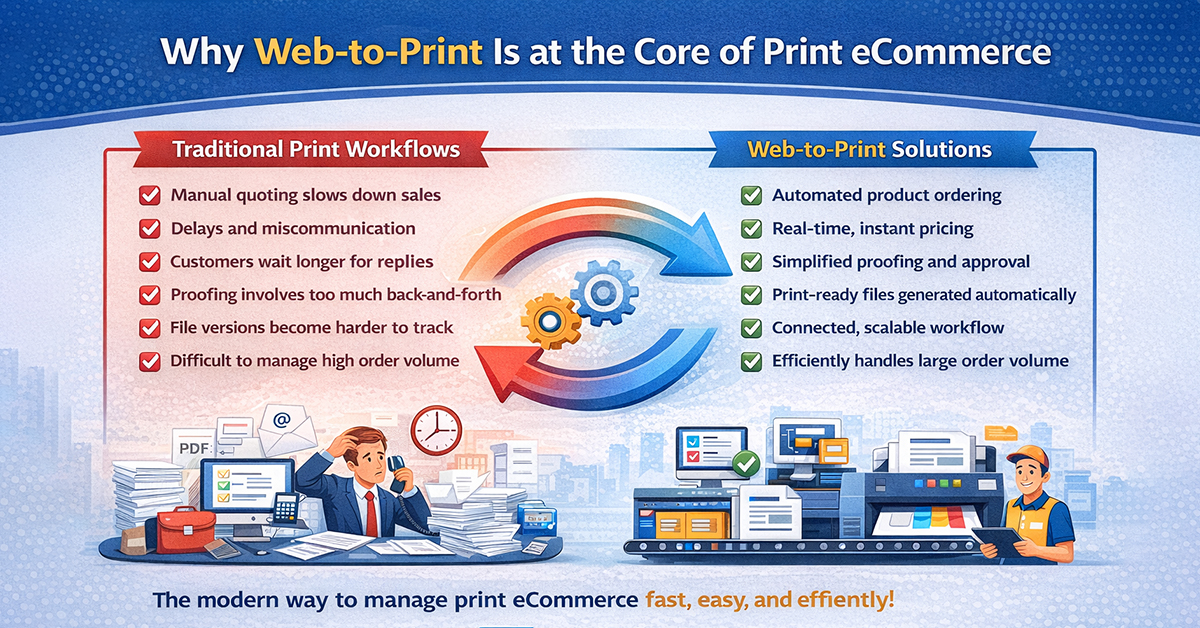
When the full journey from order placement to production runs through one automated system, the weaknesses of traditional print workflows become much easier to spot.
Traditional print processes were never built for the speed and scale of modern print eCommerce. Managing orders through emails, PDF proofs, and manual coordination may work for a small number of orders, but it becomes difficult to manage as volume grows.
Key limitations of traditional workflows:
- Manual quoting slows everything down
- Sales teams spend time on pricing instead of closing orders
- Customers wait longer for responses
- Proof approvals take too much back-and-forth
- Changes can get missed easily
- File versions become harder to track
- Small delays turn into bigger production issues at scale
What should be a quick purchase decision often becomes a long and delayed conversation.
This is not only a process problem. It is a workflow problem.
Why web-to-print solves this:
- Automates product ordering
- Shows real-time pricing instantly
- Simplifies proofing and approvals
- Generates print-ready files automatically
- Connects production in one workflow
- Helps businesses manage high order volumes efficiently
Traditional workflows may handle a few orders a day, but web-to-print is built to manage thousands.
That is why web to print is at the core of modern print eCommerce.
What Are the Key Benefits of Web To Print Software?
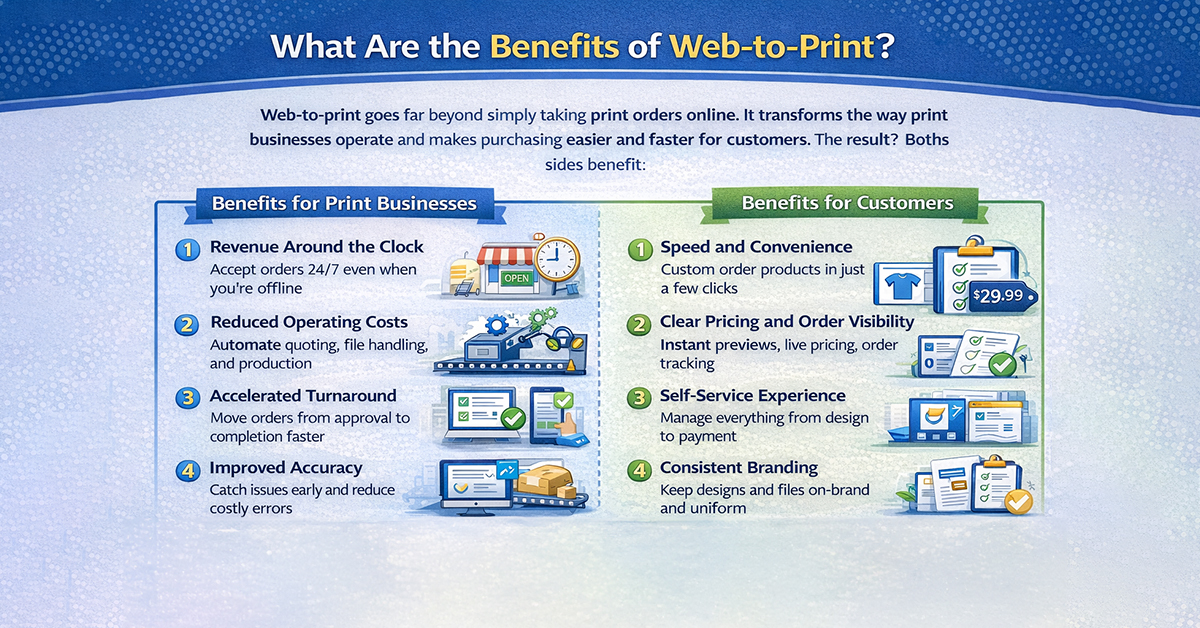
Web to print does far more than simply bring print ordering online. It changes the way print businesses operate and makes the buying process easier, faster, and more efficient for customers.
The biggest advantage of web-to-print is that it creates value for both sides. Businesses can streamline operations and reduce manual work, while customers enjoy a smoother and more convenient ordering experience.
A. Benefits for Print Businesses
1. Revenue Around the Clock
With web to print, print businesses can accept orders 24/7. Customers do not need to wait for office hours, and orders can come in even when the team is offline.
2. Reduced Operating Costs
Automation helps reduce the need for manual quoting, file handling, and repeated follow-ups. This lowers workload for staff and helps businesses use their time and resources more effectively.
3. Faster Turnaround
Because orders move quickly from approval to production, businesses can shorten delivery times and manage larger order volumes without slowing down.
4. Better Accuracy
Digital proofs, file validation, and automated workflows help catch issues early. This reduces errors, prevents costly reprints, and improves overall consistency.
5. Wider Market Reach
An web to print online storefront allows businesses to sell beyond their local area. They can accept and manage orders from different cities or countries without opening new physical locations.
B. Benefits for Customers
1. Speed and Convenience
Customers can customize products, review designs, and place orders in just a few steps. There is no need to wait for calls, emails, or manual approvals.
2. Clear Pricing and Order Visibility
Live pricing, real-time previews, and order updates give customers a better understanding of what they are buying. This creates a more transparent experience and reduces confusion after checkout.
3. Self-Service Experience
Customers can manage the entire process on their own, from editing designs to final payment. This makes ordering quicker and more flexible.
4. Consistent Branding
Templates, locked design areas, and approval rules make it easier to keep branding consistent across different custom print products, especially for teams or repeat orders.
5. Simple Reordering
Saved designs and order history allow customers to reorder previous products without starting from scratch, saving time and effort.
Who Should Use Web To Print Software?
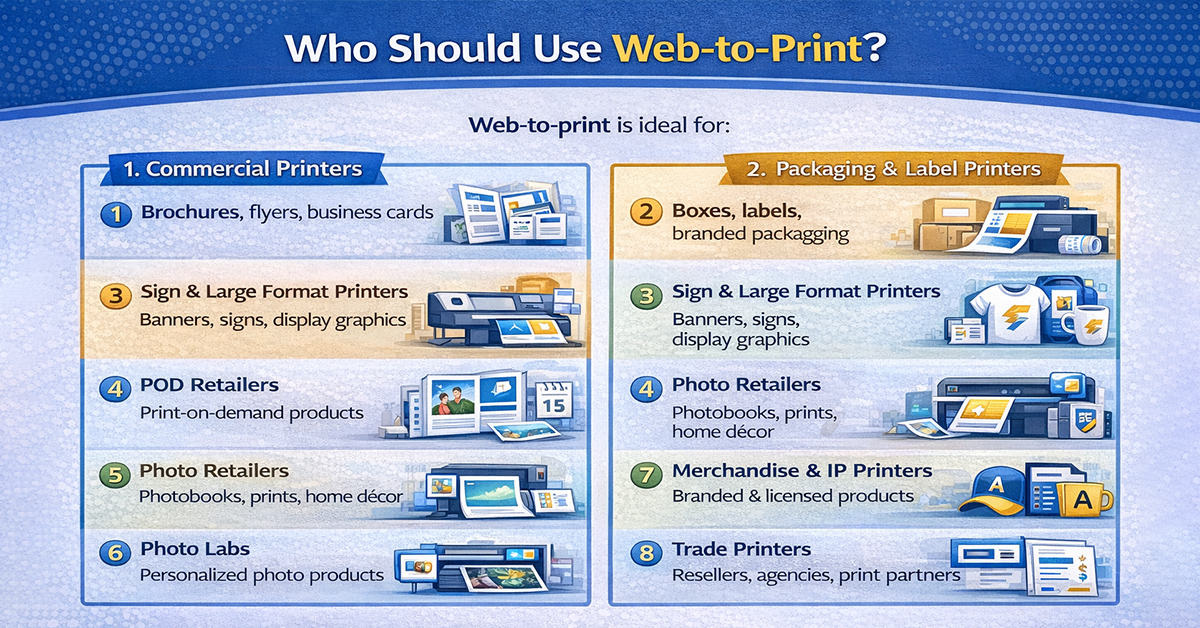
Web to print is designed for print businesses that want to manage more orders without increasing manual effort. It works especially well for businesses that handle high order volumes, frequent repeat orders, and customized products as part of their everyday operations.
1. Commercial Printers
Commercial printers producing brochures, flyers, business cards, and other marketing materials can benefit greatly from web to print. It helps reduce manual file handling, speeds up approvals, and makes high-volume order management more efficient.
2. Packaging & Label Printers
Packaging and label printers often deal with strict specifications, brand guidelines, and repeat orders. Web to print helps standardize designs, maintain consistency, and simplify reordering without rebuilding files each time.
3. Sign & Large Format Printers
Businesses offering banners, signage, posters, and display graphics can use web to print to simplify size selection, design approvals, and artwork submission. This reduces back-and-forth communication and improves order accuracy.
4. Print On Demand Retailers
Print on demand retailers benefit from web to print by allowing customers to personalize products directly online. This speeds up order processing, reduces manual intervention, and supports higher order volumes with ease.
5. Photo Retailers
Photo retailers selling products like photobooks designer, photo prints, mugs, calendars, and wall décor can use web to print to offer a smooth customization experience. Customers can upload photos, edit layouts, and place orders without needing offline support.
6. Photo Labs
Photo labs handling personalized photo products and repeat consumer orders can use web to print to automate ordering, improve turnaround time, and reduce operational workload. It also helps deliver a better customer experience through self-service ordering.
7. Printers with IP & Merchandise Businesses
Printers working with licensed content, branded merchandise, fan merchandise, or creator-led products can use web to print to control designs, protect brand consistency, and manage product customization at scale.
8. Trade Printers
Trade printers working with resellers, agencies, or print partners need consistent workflows and accurate production handling. Web to print helps manage templates, pricing rules, and multi-client operations more efficiently.
9. Corporate In-Plants
Corporate in-plant print teams managing requests from different departments can use web to print to make ordering self-service, reduce email-based coordination, and maintain brand consistency across all printed materials.
Key Features of Modern Web-to-Print eCommerce Platforms in 2026
In 2026, web-to-print is more than just an online ordering tool. Customers expect systems that minimize manual work, reduce errors, and support business growth from the start. A modern web-to-print platform should act as the core operational system, not simply an add-on to an online storefront. Businesses now expect web to print software that reduces manual work, improves accuracy, and supports growth from the start.
Here are the essential feature categories buyers should expect in modern platforms:
1. Responsive Design Editors
A modern design tool should work smoothly across desktops, tablets, and smartphones. Customers often begin a project on one device and continue it on another, so the editor must deliver a consistent experience everywhere.
2. Variable Data Printing (VDP)
Variable data printing makes it possible to personalize each printed item with unique names, images, codes, or other details. A capable platform should support bulk personalization, data import, and preview generation for high-volume campaigns.
3. Live Pricing
Real-time pricing is an essential feature. Customers should be able to see pricing updates instantly based on size, quantity, materials, finishing options, or customization choices. This improves transparency and speeds up purchase decisions.
4. Multi-Channel Selling
A powerful web-to-print system should connect easily with multiple sales channels such as Shopify vs WooCommerce, Magento, or other eCommerce platforms. It should also support multi-store setups for businesses managing different brands, markets, or customer segments.
5. Workflow Automation
Automation is one of the biggest strengths of web-to-print. A good platform should connect the full process—from order placement and file checks to job ticket creation, production flow, and delivery coordination. This reduces manual effort and improves speed.
6. Security and Compliance
Security is critical, especially for businesses handling customer data, payment information, and branded files. Features like secure logins, encrypted access, role-based permissions, and protected environments help keep operations safe and reliable.
7. Full Mobile Experience
Mobile support should go beyond basic browsing. Customers should be able to search products, customize designs, check prices, place orders, and track progress directly from their phones without friction.
The best web-to-print software helps businesses automate operations, improve the buying experience, and handle growing order volumes with confidence.
Why AI Matters in Web To Print in 2026
Artificial intelligence is becoming an important part of modern web to print platforms. Its role is not to replace creativity or human input, but to make the entire ordering and production process faster, smarter, and more efficient.
Instead of removing designers, AI helps reduce friction at different stages of the workflow and improves the overall customer experience.
1. AI-Assisted Design
AI can help users create designs more easily by offering smart layouts, template suggestions, and design guidance. This is especially useful for customers who want customization without starting from a blank canvas.
2. Smarter File Checking
AI can improve file validation by identifying potential print issues before production begins. It can help detect problems such as low image quality, missing bleed, or alignment issues, reducing the chances of production errors.
3. Better Product Previews
AI can enhance how products are previewed online by generating more realistic mockups and visual representations. This gives customers a clearer idea of how the final product will look before placing an order.
4. Faster Content Support
AI can also support product content by helping generate product descriptions, organize categories, and improve catalog presentation. This can save time for businesses managing a large number of products.
5. Smarter Recommendations
By analyzing customer behavior and design choices, AI can suggest relevant products, design options, or finishing upgrades. These suggestions can improve the customer journey while also increasing order value.
How EzyCreate Makes Web To Print Easy
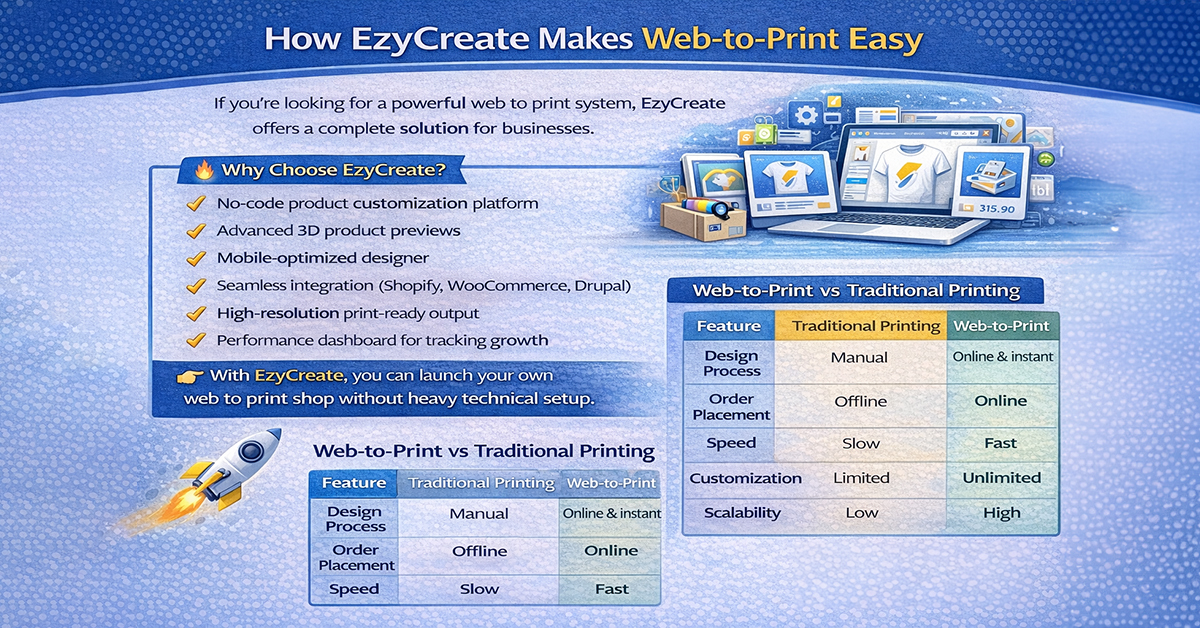
If you’re looking for a powerful web to print solution, EzyCreate offers a complete solution for businesses.
Why Choose EzyCreate?
- No-code product customization platform
- Advanced 3D product previews
- Mobile-optimized web to print online designer
- Seamless integration with Shopify, WooCommerce, and Drupal
- High-resolution print-ready output
- Performance dashboard for tracking growth
With EzyCreate, you can launch your own web to print shop without heavy technical setup.
Web-to-Print vs Traditional Printing
| Feature | Traditional Printing | Web-to-Print |
| Design Process | Manual | Online & instant |
| Order Placement | Offline | Online |
| Speed | Slow | Fast |
| Customization | Limited | Unlimited |
| Scalability | Low | High |
What Are the Biggest Challenges of Web To Print Implementation?
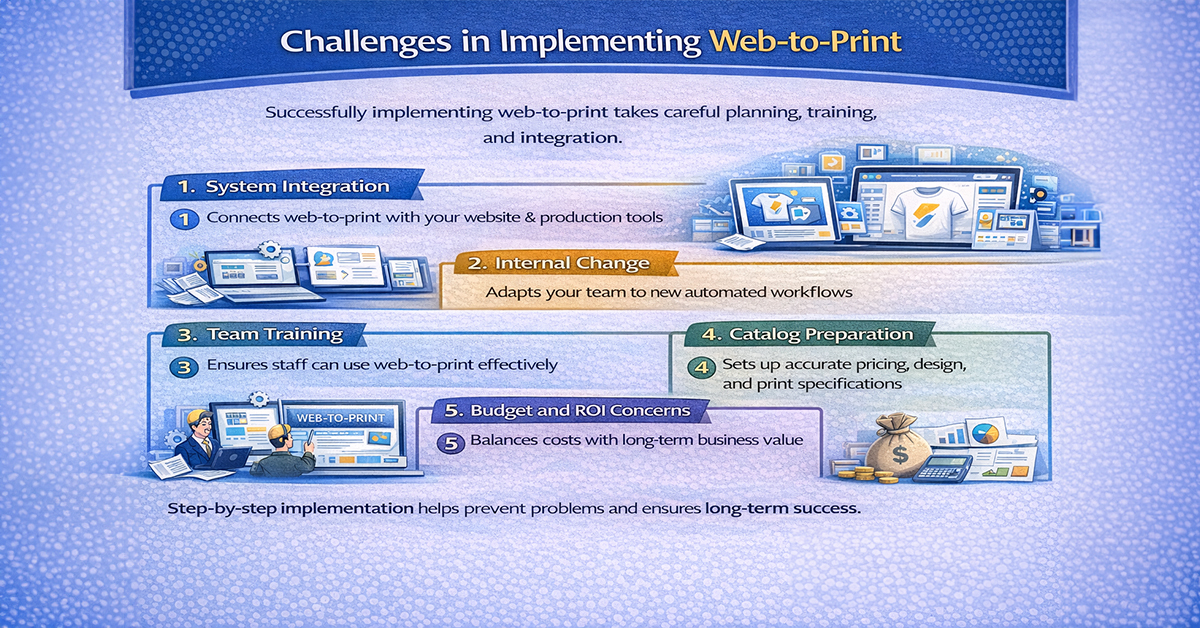
Web to print can deliver major advantages, but setting it up successfully takes planning, time, and the right approach. Most implementation issues happen when businesses assume the transition will be simple or try to move too quickly.
1. System Integration
A web-to-print platform needs to connect smoothly with your website, internal management tools, and production workflow. If these systems do not communicate properly, the process can still depend on manual work, which reduces efficiency.
2. Internal Change
Many teams are used to working with emails, manual quotes, and traditional approval methods. Moving to an automated workflow often requires a shift in mindset as well as changes in daily processes.
3. Team Training
A new system only works well when people know how to use it. Customer support teams need to understand the ordering journey, while production staff must adapt to receiving structured jobs instead of scattered files and email instructions.
4. Catalog Preparation
Creating a strong product catalog takes effort. Each product may require pricing logic, design rules, templates, print specifications, and visual assets. For businesses with large catalogs, this can be one of the most time-consuming stages.
5. Budget and ROI Concerns
Professional web-to-print platforms usually involve upfront costs for software, setup, and ongoing support. For many businesses, the challenge is not just the investment itself, but clearly understanding the long-term value it will bring.
These challenges are manageable when businesses take a phased and realistic approach. Many successful teams begin with a smaller product range, test the system, and then expand step by step.
A Practical Roadmap for Web To Print Implementation
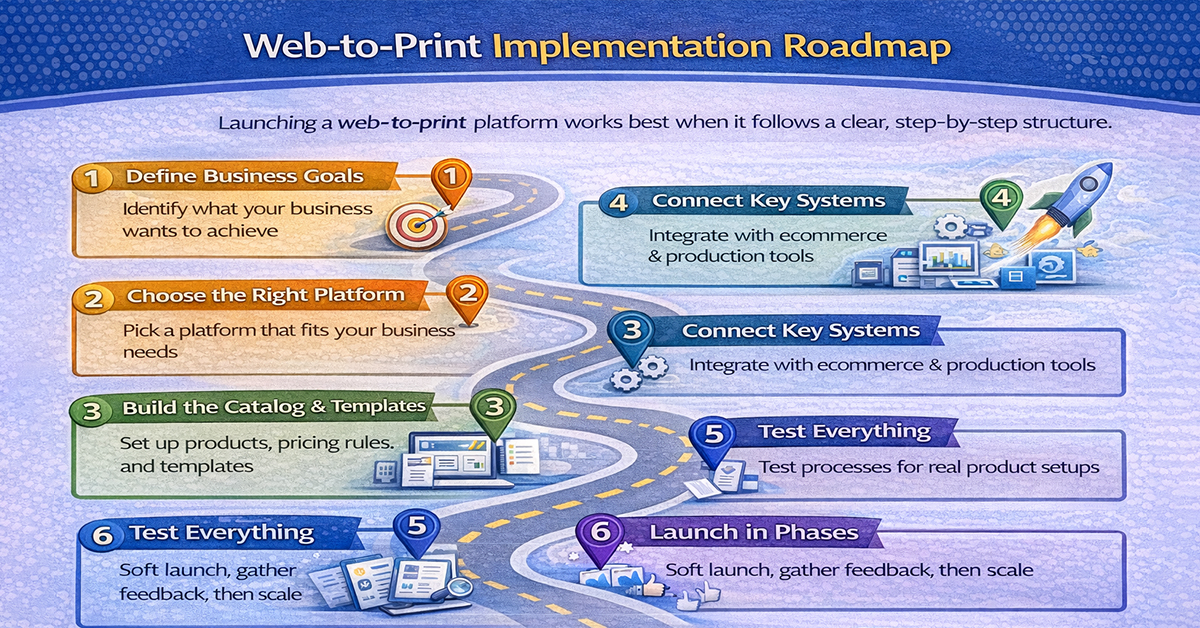
Launching a web to print platform works best when it follows a clear structure. Instead of rushing into setup, businesses should move through each stage with a defined goal.
1. Define Business Goals
Start by identifying what success looks like. The goal may be to reduce manual work, increase order volume, improve turnaround time, or enter new markets. Clear objectives help shape the right decisions from the beginning.
2. Choose the Right Platform
Not every platform fits every business. Compare options based on features, integrations, scalability, support, and overall cost before selecting the best web to print software. It is always better to evaluate platforms against real business needs rather than only product demos.
3. Build the Catalog and Templates
Once the platform is selected, the next step is setting up the product catalog. This includes pricing rules, print specs, design templates, and customization options. For more advanced products, 3D previews and multi-part configurations may also be needed.
4. Connect Key Systems
A strong implementation depends on connecting the platform with the systems that already power the business. This may include your eCommerce store, payment gateway, shipping tools, and internal workflow systems.
5. Test Everything
Before launch, the full customer and production journey should be tested carefully. That means checking real product setups, customer scenarios, production steps, and possible edge cases. The goal is to fix issues before customers see them.
6. Launch in Phases
Instead of going fully live at once, many businesses benefit from a soft launch. Starting with a smaller audience allows teams to monitor results, collect feedback, and improve the experience before scaling.
A thoughtful implementation often takes several months, but that time investment usually leads to smoother operations and fewer issues later.
How to Scale a Web-to-Print eCommerce Business
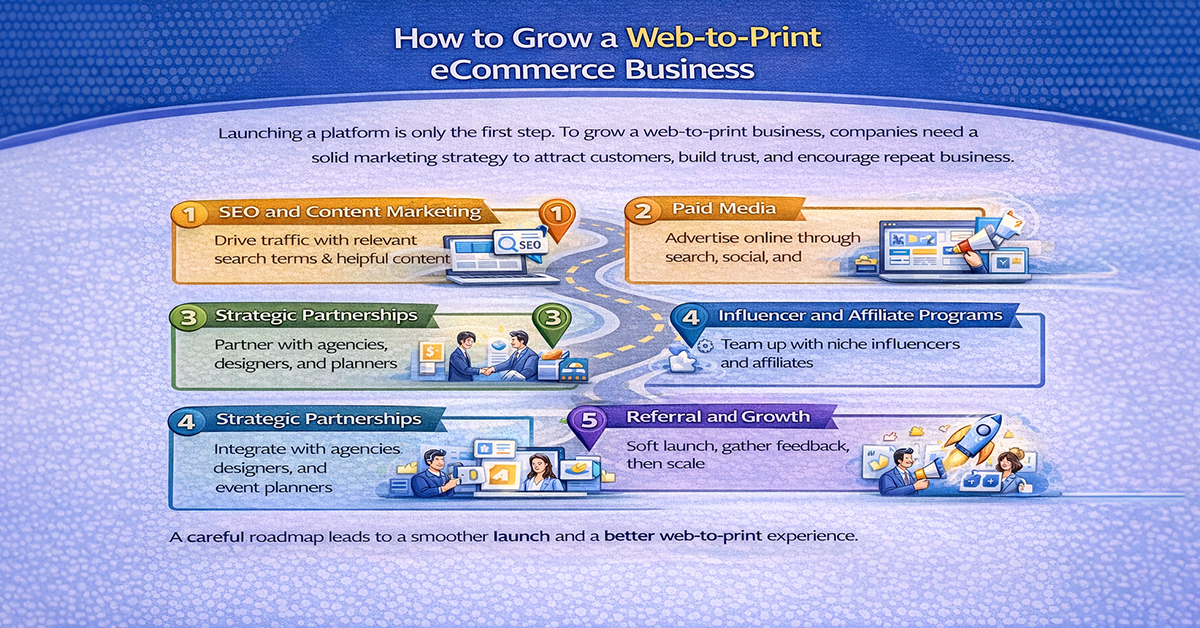
Launching a platform is only the first step. To grow a web-to-print business, companies also need a strong strategy to bring in traffic, build trust, and turn visitors into repeat customers.
1. SEO and Content Marketing
Search visibility plays a big role in long-term growth. Businesses should optimize their site for relevant search terms and create useful content that answers common customer questions, explains products, and builds authority in the market.
2. Paid Media
Advertising through search engines, social media, and remarketing can help attract customers who are actively looking for print products. Campaigns perform best when they focus on high-intent keywords and clear product-specific use cases.
3. Strategic Partnerships
Partnerships can open new revenue channels. Working with designers, agencies, event planners, or procurement teams can help bring in customers who already need print services but want a reliable partner.
4. Influencer and Affiliate Programs
Collaborating with industry creators, niche influencers, or affiliates can help expand awareness and drive qualified traffic. These programs work especially well when the audience already has a clear interest in design, printing, or personalized products.
5. Referral Growth
Happy customers can become one of the most valuable marketing channels. Referral programs encourage existing users to recommend your platform, helping generate trust-based growth over time.
The businesses that grow well in this space are usually the ones that treat marketing as seriously as technology. A strong platform matters, but it needs visibility to perform.
What Does the Future Hold for Web-to-Print in 2026?
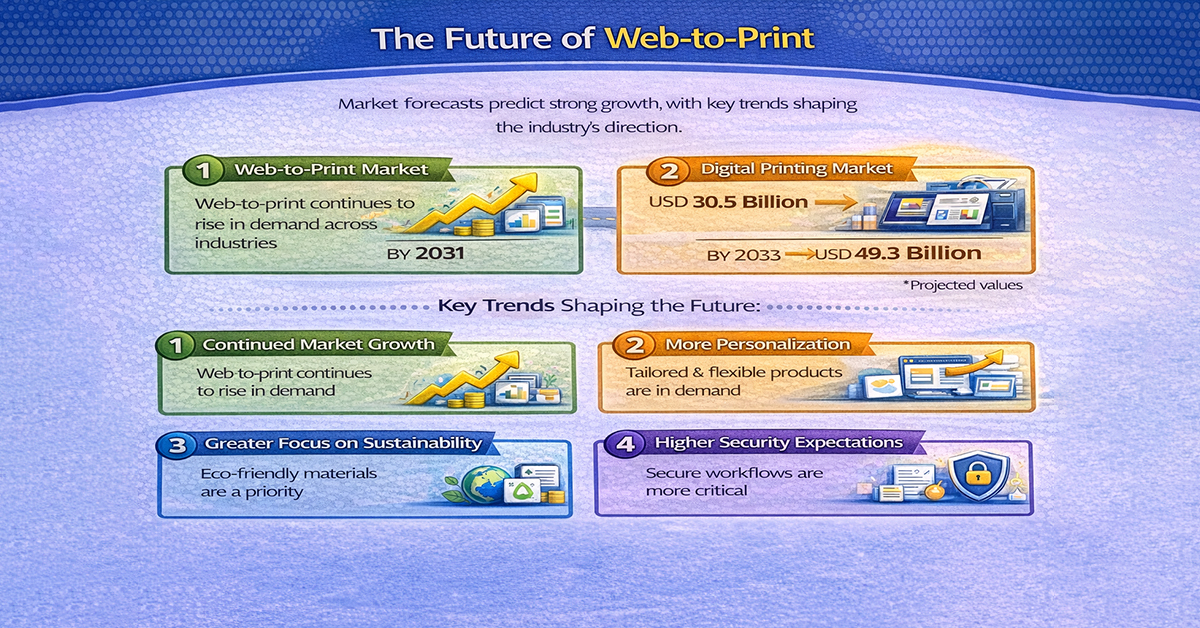
The web-to-print space is continuing to evolve, and current market direction suggests strong long-term momentum. According to the figures in your source, the global web-to-print market is projected to grow from about USD 28.04 billion in 2026 to USD 36.58 billion by 2031, reflecting continued demand for online customization and digital print ordering.
Digital printing is also expanding, which supports the growth of web-to-print. Your source notes that the broader digital printing market is expected to rise from roughly USD 30.5 billion in 2024 to USD 49.3 billion by 2033. This trend supports more personalized and variable print output at scale.
Several key trends are shaping the future:
1. Continued Market Growth
Demand for online print ordering and customization is still rising across industries, making web-to-print an increasingly important part of print commerce.
2. More Personalization
Customers now expect tailored products, variable data printing, and flexible customization options. This makes personalization a core part of future platform value.
3. Greater Focus on Sustainability
The sustainable printing market is expected to grow from around USD 2.07 billion in 2023 to USD 3.35 billion by 2030, with an annual growth rate of about 7.5%. This growth shows increasing demand for photo printing business materials and processes that have a lower environmental impact.
Today, print buyers and brand teams want greater transparency around sustainability. Before placing large or repeat orders, they increasingly look for clear metrics such as recycled material options and data showing reduced waste and environmental impact.
4. Higher Security Expectations
As print expands into regulated documents, branded packaging, and protected materials, verification and secure workflows are becoming more important than before.
The future of web to print is not just about selling print online. It is about creating faster, smarter, and more scalable systems that meet rising customer expectations.
Why Web To Print Is Essential for Scalable Print Businesses?
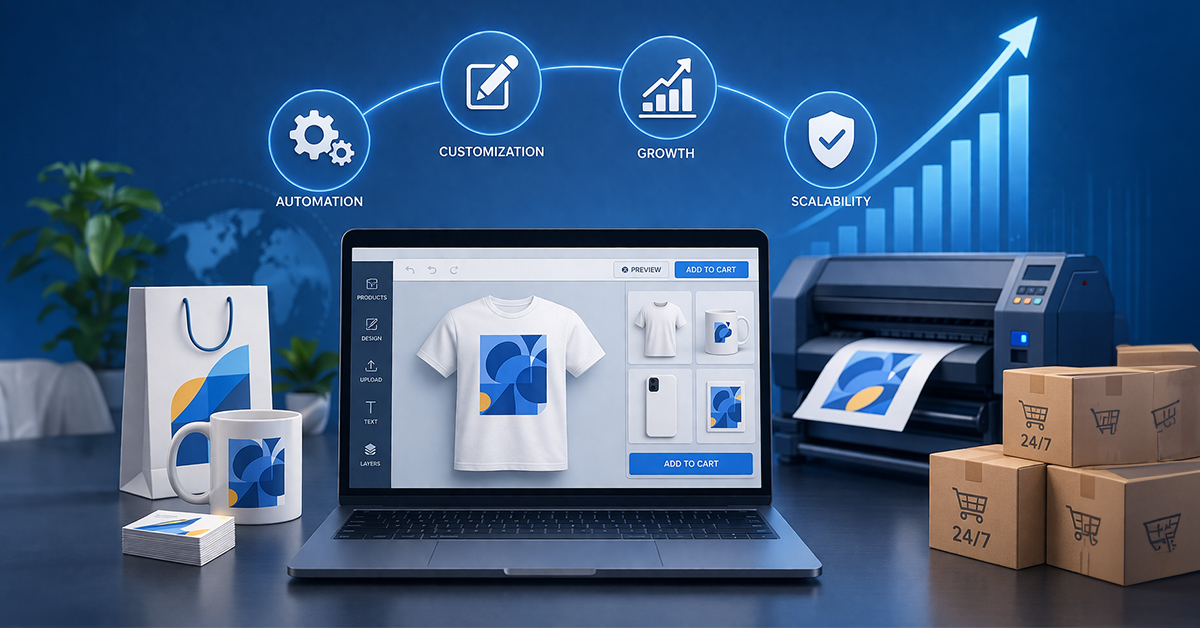
Web-to-print has become a core part of modern print commerce. Today’s platforms are built to support POD automation, product customization, and business growth at scale.
The print businesses that perform well are not relying on manual quoting, endless email chains, or disconnected workflows. They are using systems that allow them to accept orders around the clock, serve wider markets, reduce errors, and manage larger volumes with greater efficiency.
In that sense, web-to-print is no longer just a useful tool. It is becoming the operating model for print businesses that want to grow sustainably.
The real question is no longer whether web-to-print matters. The better question is how quickly a business can adopt it in the right way.
Final Thoughts
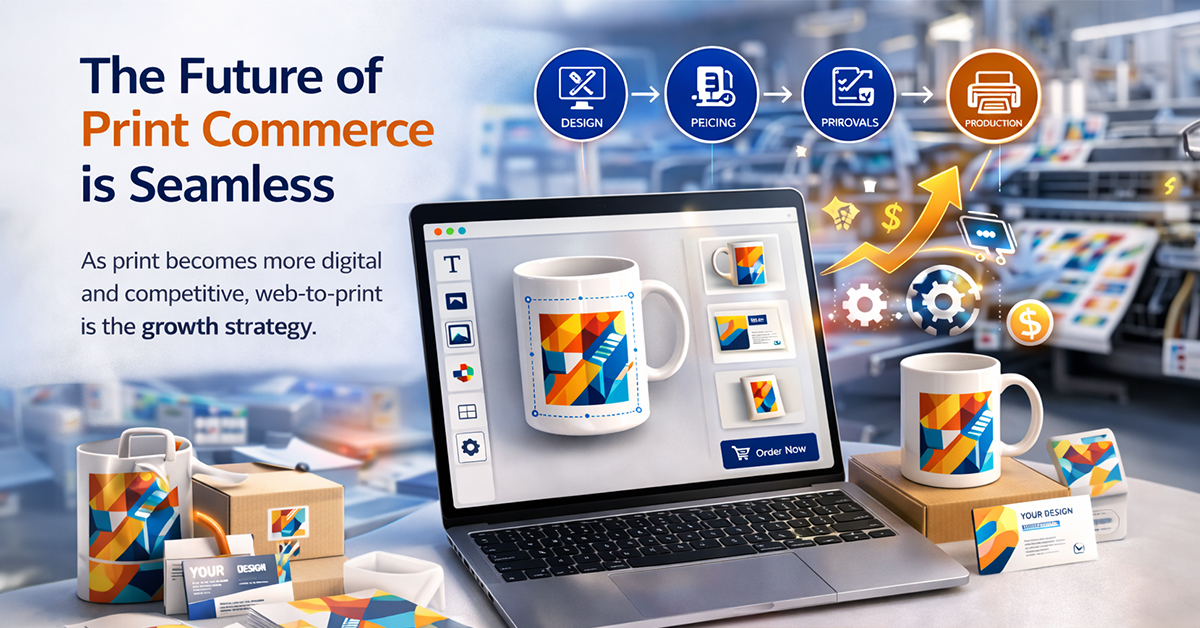
The future of print commerce belongs to businesses that combine customization, automation, and convenience in one seamless experience. That is the real answer to what is web to print today: it is not just an online ordering method, but a scalable operating model for modern print businesses.
Ready to scale your print business online? EzyCreate helps businesses deliver seamless product customization, automate operations, and build a smoother customer journey from design to fulfillment.
Frequently Asked Questions About Web To Print
Q1. What does web to print mean?
Web-to-print means using an online platform to design, customize, and order printed products directly from a website. It allows customers to complete the entire process online, from product selection to final order placement.
Q2. What is web 2 print?
Web 2 print is simply another way of saying web-to-print. Both terms refer to digital systems that let users personalize and order print products online through an interactive web interface.
Q3. How does web to print work?
Web-to-print works by connecting product customization, online ordering, and print production into one automated workflow. Customers can choose a product, personalize it, see live pricing, approve a proof, and place the order, while the system prepares print-ready files and moves the job into production.
Q4. What is web-based printing?
Web-based printing is the process of ordering print products through an online system instead of using manual methods like emails, phone calls, or in-person visits. It makes print ordering faster, simpler, and more convenient.
Q5. How is web-to-print different in 2026 compared to earlier years?
In 2026, web-to-print platforms are more advanced, scalable, and automation-driven than before. Modern systems now offer better mobile support, smarter design tools, stronger workflow automation, AI-assisted features, real-time pricing, and improved integration with eCommerce platforms. This makes them far more efficient than earlier web-to-print solutions.
Q6. Is web to print only useful for B2C print businesses?
No, web-to-print is useful for both B2C and B2B businesses. It works well for personalized consumer products like photobooks and gifts, as well as business use cases such as branded merchandise, packaging, labels, marketing materials, and repeat corporate orders.
Q7. Why is web to print important for print businesses?
Web-to-print helps print businesses reduce manual work, improve order accuracy, speed up production, and offer a better customer experience. It also makes it easier to scale operations and handle more personalized orders efficiently.
Q8. Can one web to print solution support both B2B and B2C?
Yes. Some web-to-print platforms are designed to run both public retail storefronts and private business portals from the same system
Q9. What products can be sold through a web to print storefront?
Web-to-print storefronts are commonly used for business cards, brochures, banners, packaging, labels, signage, photobooks, apparel, merchandise, and other customizable printed products.
Q10. How do I choose the best web-to-print software?
The best web-to-print software depends on your product types, supported print methods, integrations, customization needs, scalability, and whether you need B2B portals, retail storefronts, or both.
Start Your Web to Print Journey Today
Ready to simplify your print-on-demand business and start selling products in minutes? EzyCreate is here to help! Learn more